Best Home Projectors: 6 Picks for Every Room and Budget
A home projector can give you a picture far larger than most TVs, but the right one depends on your...
 By Brandon Russell
Updated November 24, 2026
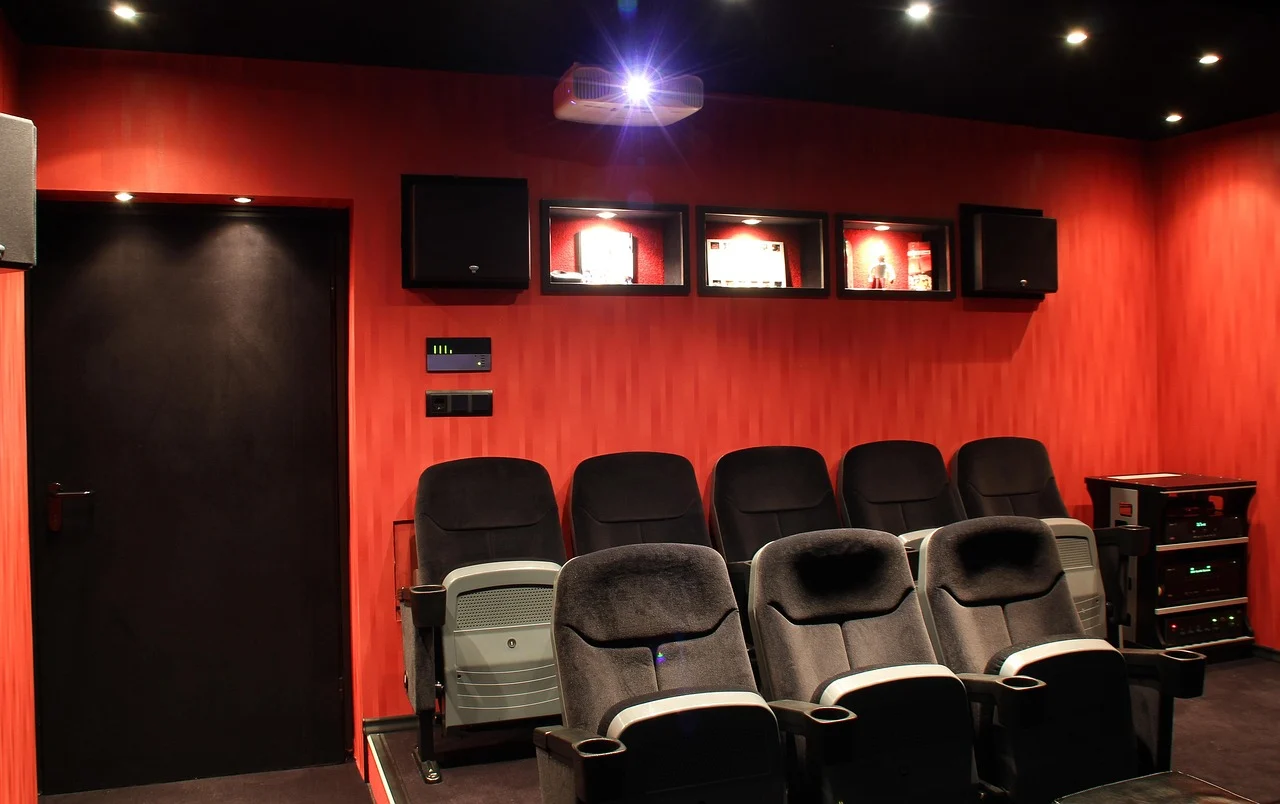
A home projector can give you a picture far larger than most TVs, but the right one depends on your room more than on any spec sheet headline. How much light gets in, how far the projector can sit from the wall, and whether you want built-in streaming all change which model makes sense.
We compared current home projectors from established brands using the specifications, manuals, and documentation their manufacturers publish, then rated each one with the same five weighted criteria. The six picks below cover a dedicated theater room, a bright living room, a tight budget, and the all-in-one setup most people want.
Safety note: never look directly into a projector lens while it is on, especially with laser and ultra short throw models. Follow the manufacturer’s instructions for ceiling mounting and lamp replacement, and use a qualified installer for ceiling or in-wall work.
Our Top Picks
| Best for | Product | PJC Score About PJC ScorePJC Score (out of 10) is our editorial rating from five weighted criteria, based on manufacturer specifications. See how we score. | |
|---|---|---|---|
| Best overall |
 XGIMI Horizon 20 |
8.0/10 | Check Price |
| Best for a dedicated home theater |
 Epson Home Cinema LS11000 |
8.3/10 | Check Price |
| Best value 4K |
 Epson Home Cinema 2350 |
7.1/10 | Check Price |
| Best for living rooms |
 Hisense PX3-PRO |
7.7/10 | Check Price |
| Best native 4K |
 Sony VPL-XW5000ES |
7.8/10 | Check Price |
| Best budget pick for bright rooms |
 BenQ TH575i |
6.6/10 | Check Price |
The Picks in Detail
XGIMI Horizon 20
Why it made the list: The Horizon 20 puts most of what a living room projector needs into one box: an RGB triple laser light source, built-in Google TV, Harman Kardon speakers, and real lens shift with optical zoom. That last point matters. Lens shift lets you move the image up, down, or sideways without the softening that digital keystone adds, so you have more freedom in where the projector sits.
Key specs: 3,200 ISO lumens (XGIMI rating); 4K UHD; RGB triple laser; lens shift of up to ±120% vertical and ±45% horizontal; optical zoom with a 1.2 to 1.5:1 throw ratio; 40 to 300 inch image; Google TV; Dolby Vision, HDR10+, and IMAX Enhanced; 240 Hz support with VRR and ALLM; 2-year warranty.
Skip it if: You are building a dark, dedicated theater and want motorized lens memories or the deepest black levels. The Epson LS11000 or Sony VPL-XW5000ES fit that room better.
Pros
- Lens shift and optical zoom make placement far easier than on most all-in-one projectors.
- Built-in Google TV and speakers mean you can start watching without extra boxes.
- Broad HDR format support, including Dolby Vision and HDR10+.
Cons
- XGIMI’s own pages list different contrast figures for this model, so we did not rely on any of them.
- Lens shift cannot be used together with keystone correction, according to XGIMI.
- Built-in speakers are convenient, but a dedicated theater will still want separate audio.
Epson Home Cinema LS11000
Why it made the list: The LS11000 is built for a room designed around the screen. Its laser light source and 3-chip 3LCD engine are paired with the most flexible lens in this group: motorized zoom, focus, and wide lens shift, with ten memory presets. Those presets let you switch between a standard 16:9 picture and a wider 2.35:1 film without touching the projector.
Key specs: 2,500 lumens color brightness (IDMS) and white brightness (ISO); 4K PRO-UHD, Epson’s resolution enhancement technology; HDR10, HDR10+, and HLG; motorized 2.1x zoom, focus, and lens shift; 50 to 300 inch image; two HDMI inputs with 120 Hz support, one with eARC; input lag under 20 ms (Epson rating); 2-year warranty.
Skip it if: Your projector will share a bright living room with daily TV viewing. An ultra short throw model like the Hisense PX3-PRO is a better match there.
Pros
- Motorized lens with ten memory settings, the most installation flexibility in this guide.
- 3LCD design is rated at the same color and white brightness, and Epson says it avoids the rainbow effect some viewers notice on single-chip DLP models.
- 120 Hz inputs and low stated input lag make it a capable gaming projector too.
Cons
- No built-in streaming platform is listed, so plan on an external streaming device.
- It is a large, premium projector meant for permanent installation, not a box you move between rooms.
- 4K PRO-UHD is a resolution enhancement approach, not a native 4K imaging chip.
Epson Home Cinema 2350
Why it made the list: The Home Cinema 2350 brings Epson’s 3LCD color, 4K enhancement, and built-in Android TV to a much lower tier than the LS11000. For most people moving from a TV to their first real home theater projector, it covers movies, sports, streaming, and casual gaming without extra hardware.
Key specs: 2,800 lumens color brightness (IDMS) and white brightness (ISO); 1920 x 1080 panels with 3840 x 2160 output through 4K Enhancement, per Epson’s user guide; HDR10 and HLG; input lag under 20 ms in low-latency mode (Epson rating); Android TV; UHE lamp rated for up to about 4,500 hours in High and Standard modes and about 7,500 hours in Low mode; 2-year projector warranty.
Skip it if: You want a laser light source with no lamp changes. The XGIMI Horizon 20 is the closest all-in-one alternative.
Pros
- Bright for its class, with equal color and white brightness ratings.
- Android TV built in, so streaming apps are ready out of the box.
- Epson documents its 4K approach clearly: 1080p panels with 4K Enhancement.
Cons
- It uses a lamp, so you will eventually buy replacement lamps (Epson part ELPLP97), and the lamp warranty is 90 days.
- The image is enhanced to 4K rather than produced by a native 4K panel.
- Fewer placement tools than the LS11000 or Horizon 20.
Hisense PX3-PRO
Why it made the list: Ultra short throw projectors sit on a cabinet a few inches from the wall, which removes the ceiling mount and long cable runs that keep many people from switching to a projector. The PX3-PRO pairs that design with a triple laser light source, Google TV, and gaming features, making it the closest thing here to a TV replacement.
Key specs: 3,000 ANSI lumens (Hisense rating); 4K UHD on a 0.47-inch DLP chip; red, green, and blue triple laser; 0.22 throw ratio; 80 to 150 inch image; 110% BT.2020 color space (Hisense rating); Dolby Vision and Dolby Atmos; 4K at 60 Hz, or up to 240 Hz at reduced resolution for gaming; light source rated for 25,000 hours; Google TV.
Skip it if: You have a dark room with space for a ceiling mount and want the most picture for your budget. A standard throw model like the Epson Home Cinema 2350 costs less.
Pros
- Sits on furniture close to the wall, with no ceiling mount needed.
- Triple laser light source with a wide color gamut rating.
- Google TV, Dolby Vision, and high refresh rate gaming in one unit.
Cons
- Ultra short throw projectors show surface imperfections easily, so a flat wall or a matching ambient light rejecting screen makes a real difference.
- Some Amazon copy for this model calls it native 4K, but its 0.47-inch DLP chip relies on pixel shifting to reach 4K.
- Image size depends on how far the projector sits from the wall, with limited room to adjust after setup.
Sony VPL-XW5000ES
Why it made the list: Many 4K projectors, including several in this guide, use pixel shifting or resolution enhancement to reach 4K. The VPL-XW5000ES uses native 4K SXRD panels with a full 3840 x 2160 pixels, paired with a laser light source and Sony’s X1-series image processor. It is the pick for a dark, dedicated room where picture quality matters more than convenience.
Key specs: Native 4K 0.61-inch SXRD panels; 2,000 lumens (Sony rating); laser light source rated for up to 20,000 hours; 95% DCI-P3 color (Sony rating); manual zoom of about 1.6x with manual lens shift; input lag under 21 ms at 4K 60 Hz and under 13 ms at 2K 120 Hz (Sony rating).
Skip it if: Your room has windows you cannot cover, or you want motorized lens control. The Epson LS11000 offers motorized lens memories and higher rated brightness.
Pros
- Native 4K panels, the only true native 4K design in this guide.
- Laser light source with a long rated life and no lamp changes.
- Low stated input lag for a home theater projector.
Cons
- Zoom, focus, and lens shift are manual, so there are no lens memories for switching aspect ratios.
- Lower rated brightness than several cheaper models here, which makes light control important.
- No built-in streaming platform is listed.
BenQ TH575i
Why it made the list: The TH575i is a straightforward 1080p projector with a high brightness rating for its tier and a Google TV dongle in the box. It suits a family room, a basement with some light, or a first projector where a big, bright picture matters more than 4K.
Key specs: 3,800 ANSI lumens (BenQ rating); native 1920 x 1080; lamp light source; 1.1x zoom with a 1.49 to 1.64 throw ratio; auto vertical keystone; input lag of 16.7 ms at 1080p 60 Hz (BenQ rating); 10 W speaker; Google TV dongle included.
Skip it if: You want 4K or HDR. The Epson Home Cinema 2350 is the step up in this guide.
Pros
- The highest brightness rating in this guide.
- Streaming included through the bundled Google TV dongle.
- Low stated input lag for 1080p gaming.
Cons
- 1080p only, with no 4K input processing listed.
- Lamp-based, and BenQ covers replacement lamps for 90 days or 500 hours in the US.
- Limited 1.1x zoom, so placement needs some planning.
Home Projectors Compared
| Projector | Resolution (as described by the maker) | Rated brightness | Light source | Placement | Built-in streaming |
|---|---|---|---|---|---|
| XGIMI Horizon 20 | 4K UHD | 3,200 ISO lumens | RGB triple laser | Standard throw, 1.2 to 1.5:1, lens shift | Google TV |
| Epson Home Cinema LS11000 | 4K PRO-UHD (enhancement) | 2,500 lumens (ISO white, IDMS color) | Laser | Standard throw, motorized 2.1x zoom and lens shift | Not stated |
| Epson Home Cinema 2350 | 1080p panels, 4K Enhancement | 2,800 lumens (ISO white, IDMS color) | UHE lamp | Standard throw | Android TV |
| Hisense PX3-PRO | 4K UHD (0.47-inch DLP) | 3,000 ANSI lumens | RGB triple laser | Ultra short throw, 0.22:1 | Google TV |
| Sony VPL-XW5000ES | Native 4K SXRD | 2,000 lumens | Laser | Standard throw, manual 1.6x zoom and lens shift | Not stated |
| BenQ TH575i | Native 1080p | 3,800 ANSI lumens | Lamp | Standard throw, 1.1x zoom | Google TV dongle |
How We Picked
We set our criteria before comparing models, then looked at home projectors from established brands that are currently sold in the US. Every product was assessed using the manufacturer’s published specifications, manuals, and product pages. We did not run our own brightness or contrast measurements, and where a manufacturer’s own pages disagreed with each other, we left that figure out or described the feature without a number.
Each pick is rated with the PJC Score, which weights picture and performance at 35%, setup and flexibility at 20%, and features, build and support, and value at 15% each. “Best overall” is not simply the highest score: it is the model that fits the widest range of homes, which is why a premium theater projector can outscore it while serving a narrower group of buyers.
How to Choose a Home Projector
Start with your room’s light
Brightness ratings only help if they are measured the same way. Look for ANSI or ISO lumens, and treat numbers without a stated standard with caution. A dark, dedicated room can use a lower-brightness projector with better contrast, while a living room with windows needs more brightness and often an ambient light rejecting screen. Our guide to projector screens covers those options.
Know what “4K” means on the box
Native 4K projectors, like the Sony in this guide, have panels with a full 3840 x 2160 pixels. Many others use pixel shifting or resolution enhancement to display a 4K image from lower-resolution chips. Both can look sharp, but the label alone does not tell you which approach a model uses. Manufacturer manuals usually do. See our 4K projector guides for more.
Check throw distance before you buy
Throw ratio tells you how far the projector must sit from the screen for a given image size. Standard throw projectors need space behind the seating or a ceiling mount. Short throw and ultra short throw projectors sit much closer to the wall. Lens shift and optical zoom give you room to adjust; digital keystone fixes the shape but can soften the image.
Lamp, LED, or laser
Lamp projectors cost less up front but need replacement lamps over time. Laser and LED light sources are rated for much longer life and reach full brightness faster. Check the manufacturer’s rated life and the warranty on the light source, which can differ from the projector warranty.
Plan for sound and streaming
Built-in speakers work for casual viewing, but a soundbar or receiver makes a large picture feel complete. If a projector has no built-in streaming platform, budget for a streaming device. For permanent installs, a ceiling mount rated for your projector’s weight is essential.
FAQ
Is a projector better than a TV for a home theater?
A projector gives you a much larger image for the money and can disappear when not in use. A TV handles bright rooms more easily and needs no screen or mounting. In a room you can darken, a projector is hard to beat for movies.
How many lumens do I need for a home projector?
It depends on screen size and room light. A dark room can work well with a lower rating, while a room with windows or lights on needs more. Compare models using ANSI or ISO lumens so the figures are comparable.
Do I need a screen, or can I use a wall?
A smooth, light-colored wall works for casual viewing. A screen gives a more uniform image, and ambient light rejecting screens help in brighter rooms, especially with ultra short throw projectors.
Are lamp projectors still worth buying?
Yes, if the up-front savings matter more than long-term upkeep. Factor in replacement lamp costs and the shorter lamp warranty when you compare them with laser models.
Final Thoughts
For most homes, the XGIMI Horizon 20 balances picture, placement flexibility, and built-in streaming best. If you are building a dedicated theater, the Epson LS11000’s motorized lens or the Sony VPL-XW5000ES’s native 4K panels are worth the step up. For a living room that has to double as a TV room, the Hisense PX3-PRO’s ultra short throw design solves the placement problem, and if budget comes first, the Epson Home Cinema 2350 and BenQ TH575i deliver a big, bright picture for much less.
About the author
Brandon Russell writes projector reviews and buying guides for ProjectorChannel. He compares projectors, screens, and accessories using manufacturer specifications and documentation, and focuses on the trade-offs that matter in a real room.